
Sheet music becomes a lesson
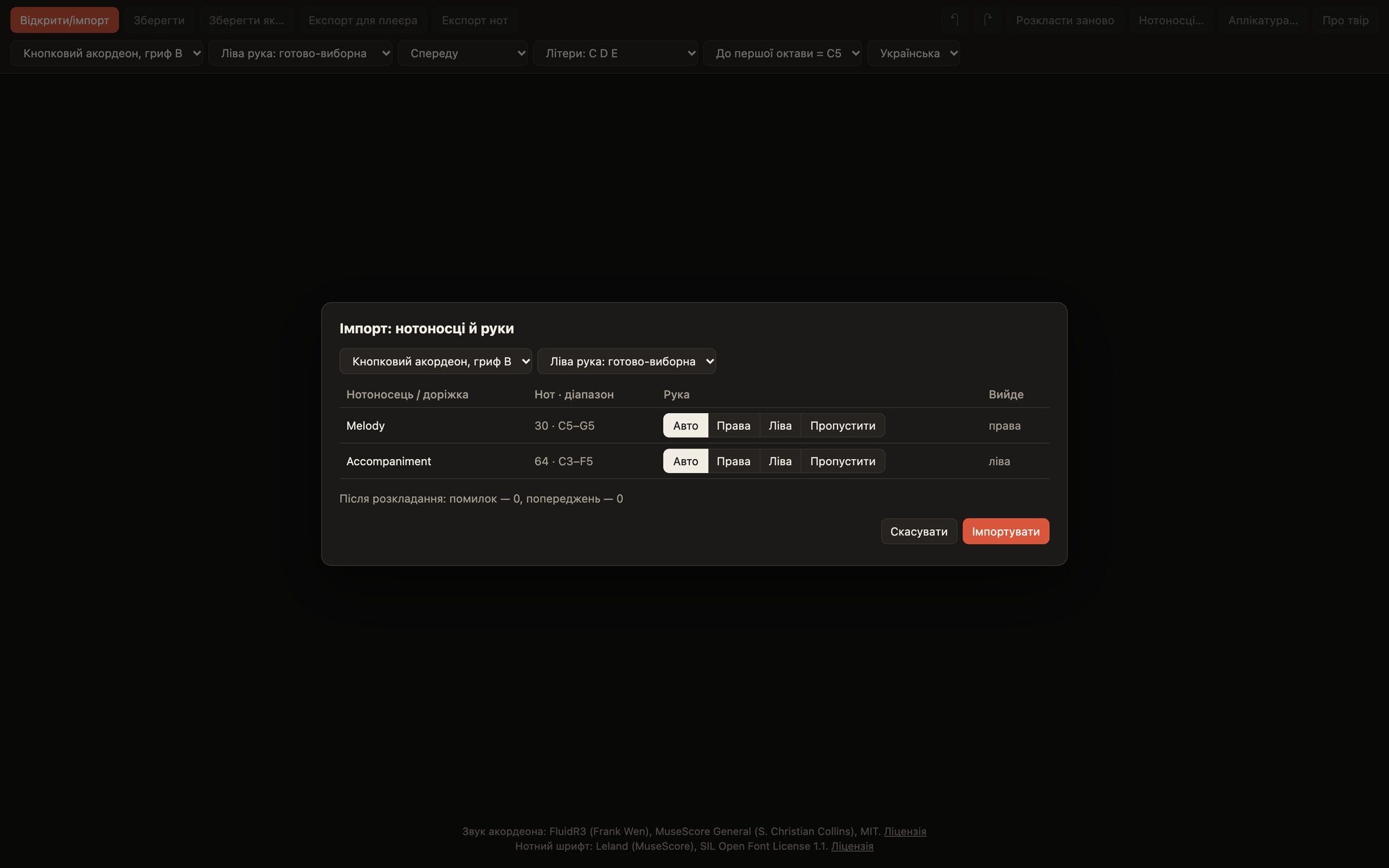
The editor imports a score and works out the fingering itself: a special algorithm that sees the piece through the eyes of a living accordionist picks the buttons, basses and fingers of both hands. Then come the registers and a finished file for the player. It also prints the music to PDF and exports it to MusicXML.
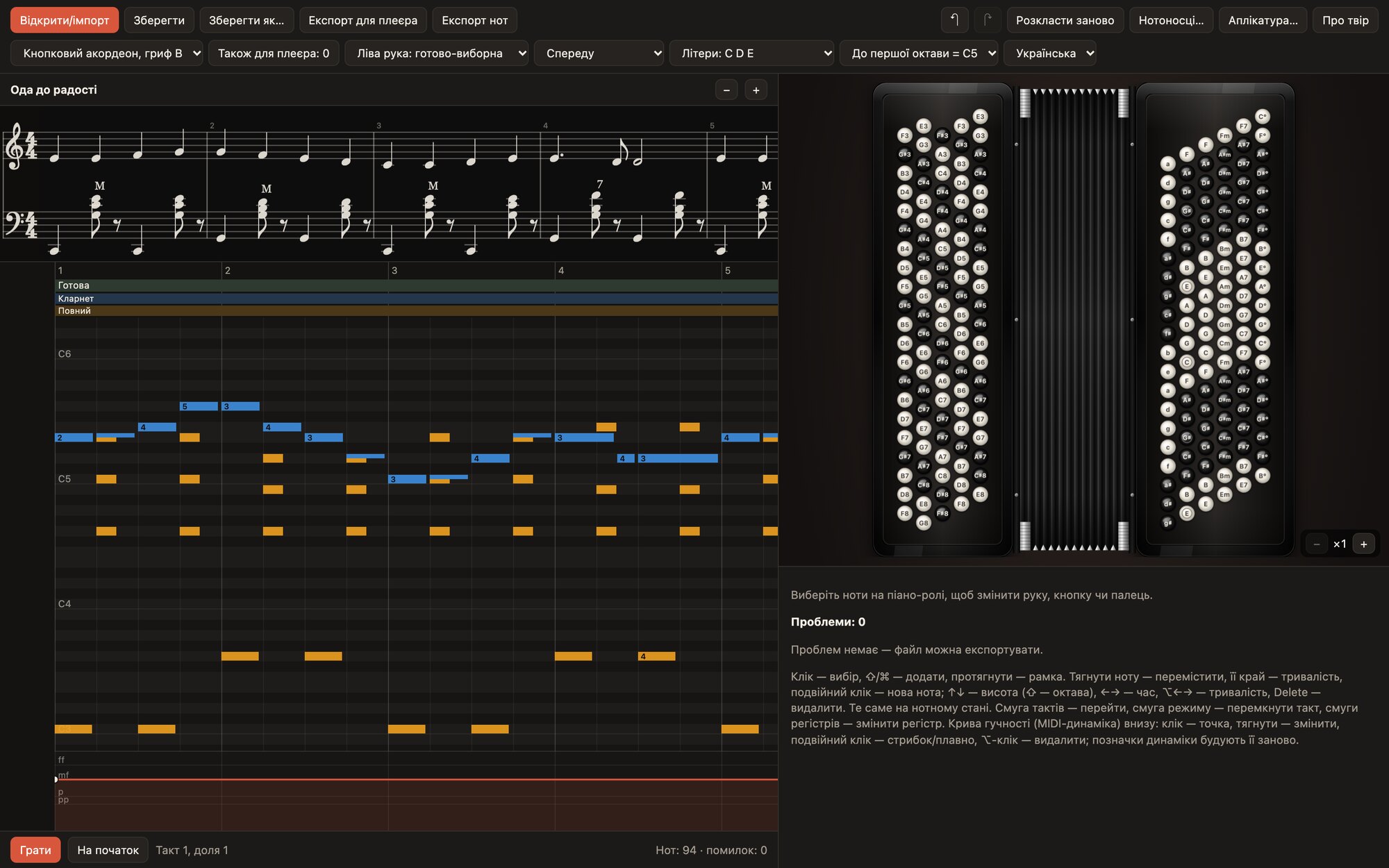
Any sheet music as input
MuseScore 3 and 4, MusicXML (including compressed .mxl), MIDI and LilyPond.
Everything that matters to an accordionist carries over: bellows, chord names, basses in brackets, registers, dynamics, slurs, staccato, accents, ornaments and the fingering from the score. If chord names or basses in brackets are missing, the editor fills them in itself.
Fingering like a good teacher’s
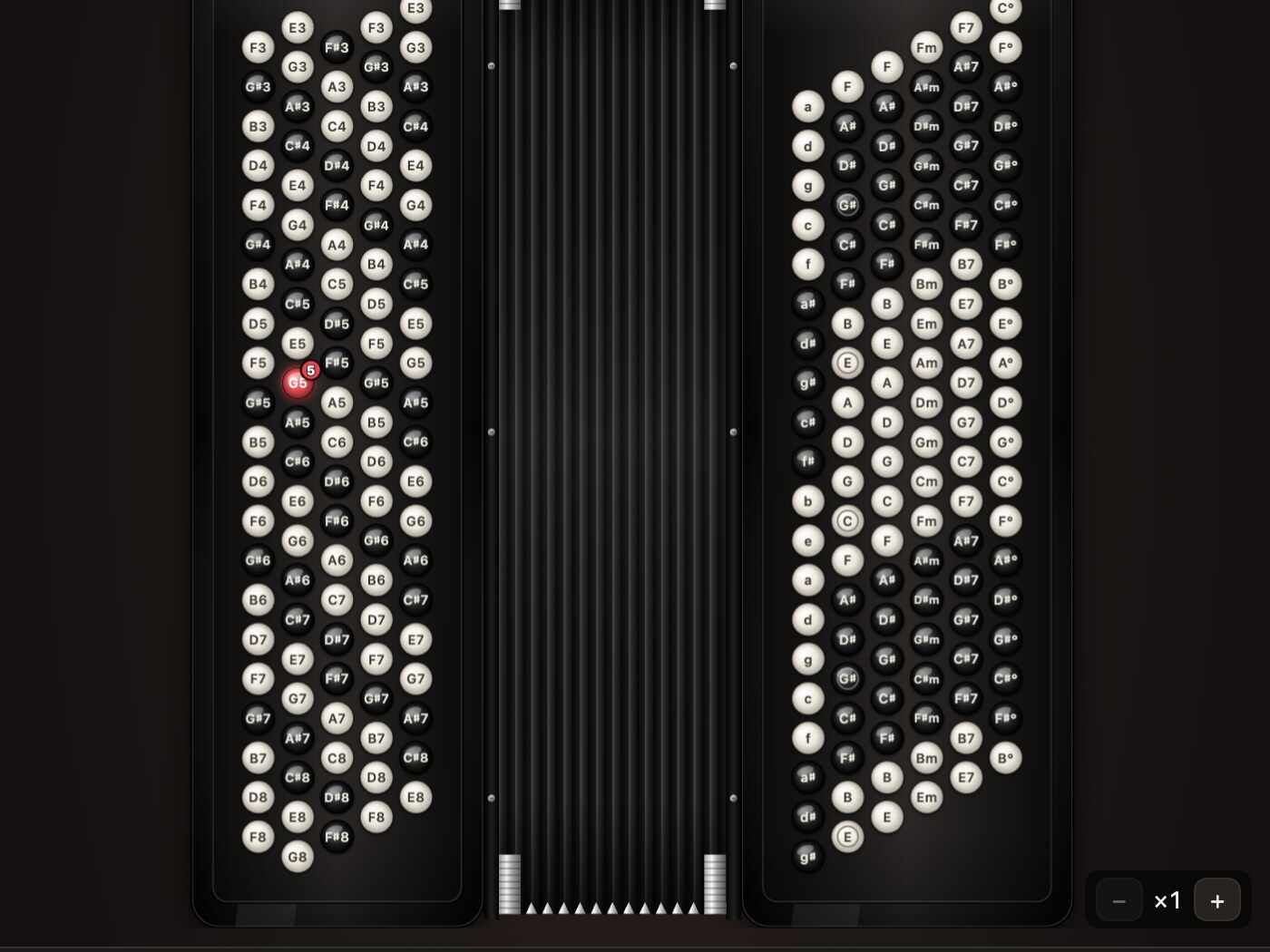
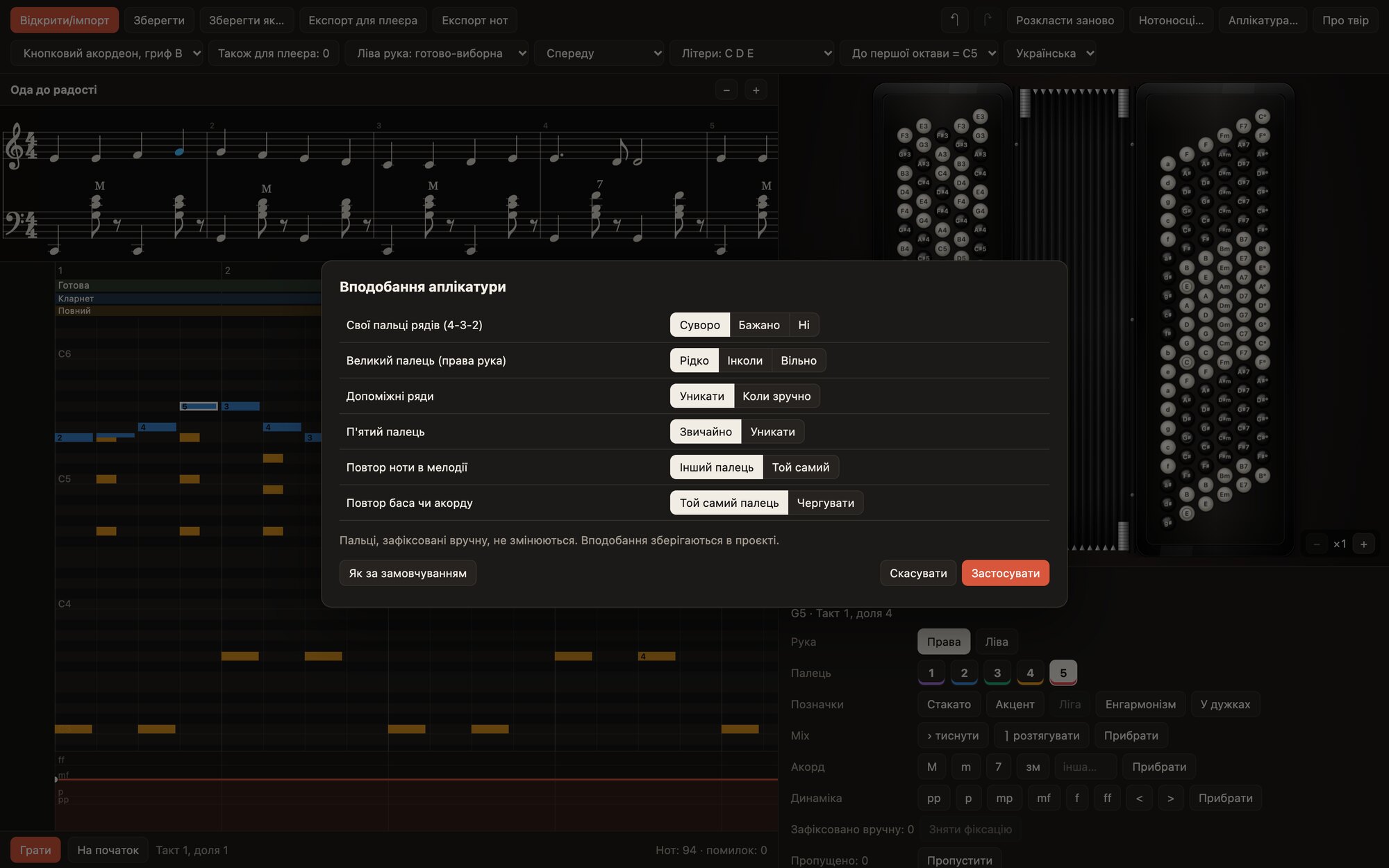
A special algorithm builds the fingering, taking into account how a real musician plays: comfortable hand positions, smooth transitions, sensible fingers on the basses. The editor picks the buttons itself, composes the basses and chords of the Stradella system and chooses fingers according to your preferences.
- Own fingers for rows 4-3-2: strictly, preferably or not
- The thumb: rarely, sometimes or freely
- Auxiliary rows: avoid, or use when convenient
- A repeated note or bass: with the same finger or another
Share your piece: the library
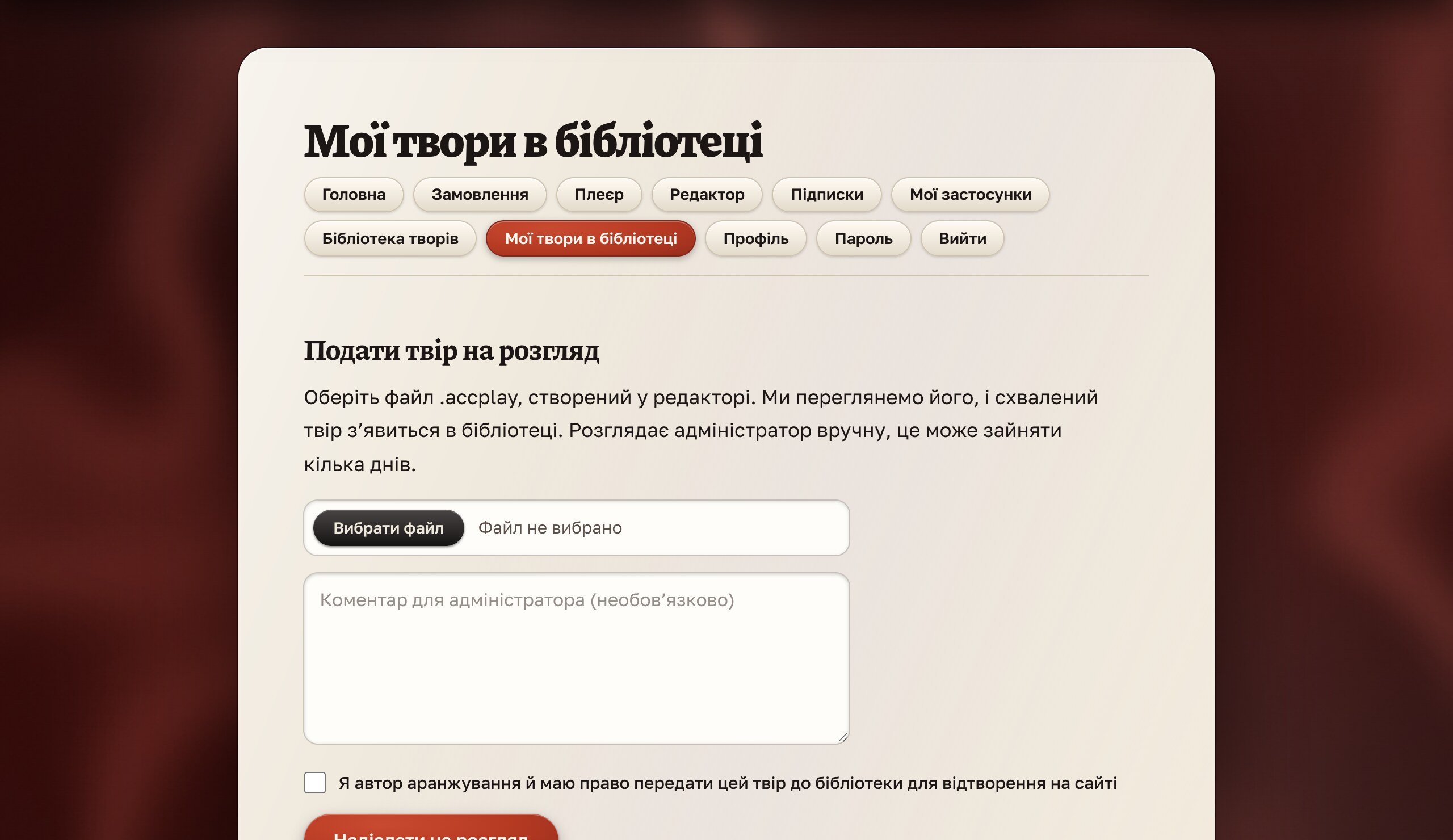
A finished .accplay can be submitted to the piece library on the site.
In your account, in the “My pieces in the library” section, choose the file and send it for review. The administrator checks the piece, and once approved it appears in the library for everyone who has access. An editor subscription includes the library, and after a one-time purchase of the editor it is open free for a year. Details are in the documentation.
Printing and MusicXML
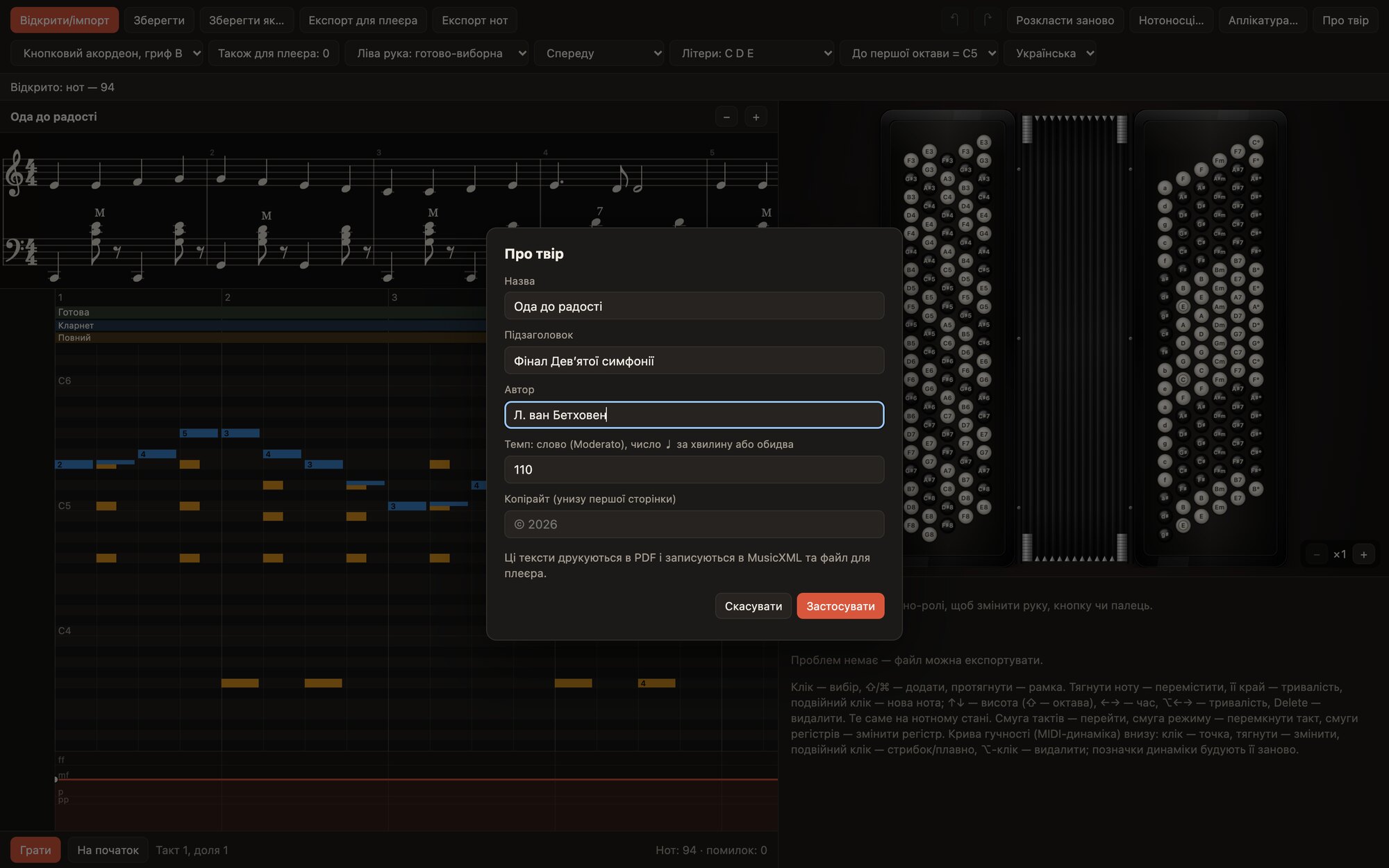
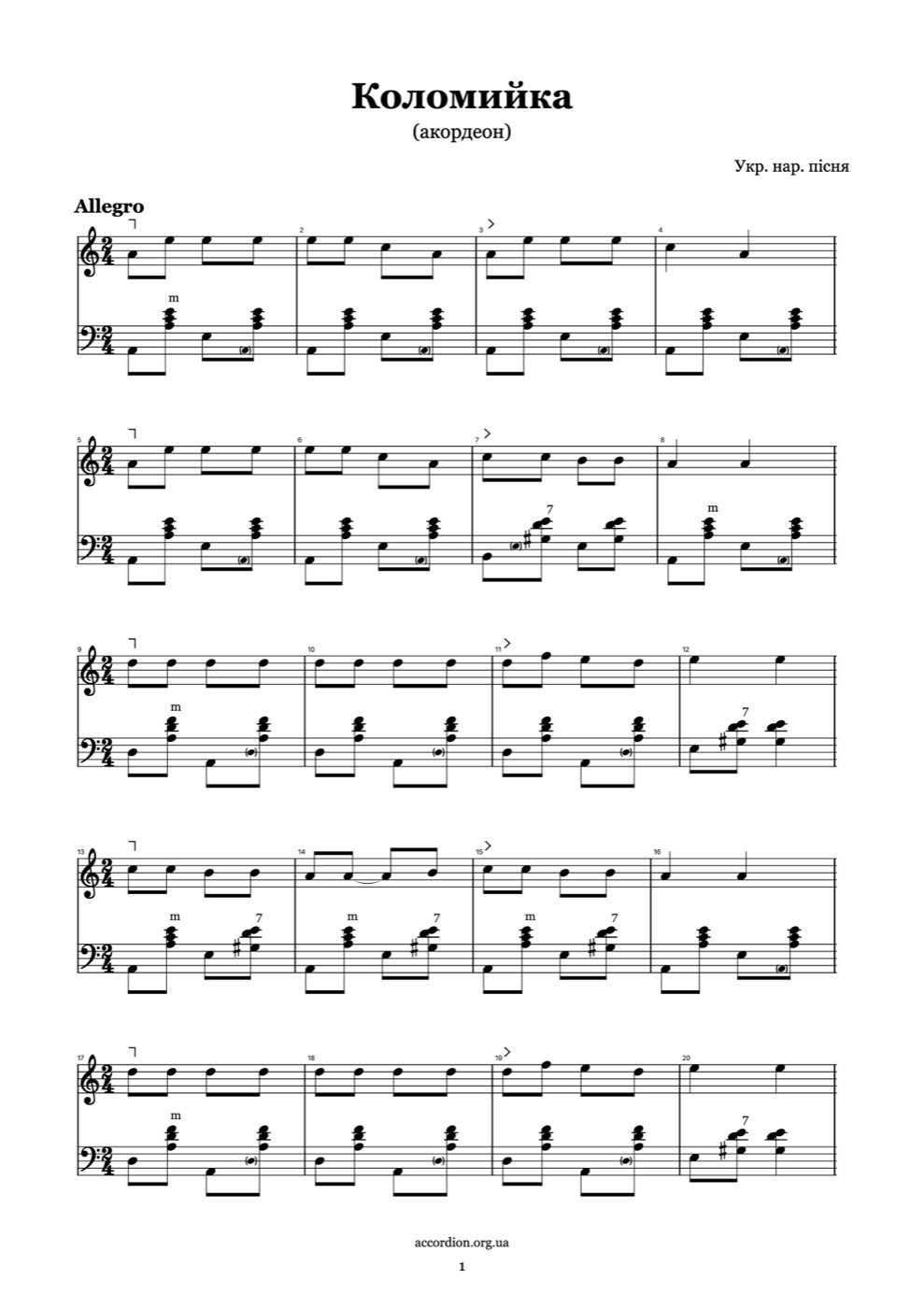
One .accplay can be prepared for several instruments at once, and the music with all the accordion markings can be saved as MusicXML 4.0 or printed to an A4 PDF.
The first page carries the title, subtitle, author, tempo and copyright, and the end has a double barline.
On a computer and in the browser, with one account
The editor works by subscription or is bought once. The first days are free, with a card: you see the date and amount of the first charge in advance and can cancel before it.
- An app for macOS, Windows and Linux: sign in through the browser, with no password in the program
- A web version in the browser for accounts with a subscription, with nothing to install
- Works offline for up to seven days after the last subscription check
- LilyPond import is available only in the desktop app
- One purchase opens both options on all your devices
Checked down to the last note
Before export the editor checks every note: the hand, button, finger and mode. Click a problem and the notes in question are already selected.